What it looks like
On the PC for the whole family, on the phone for the parents. Screens shown in German.
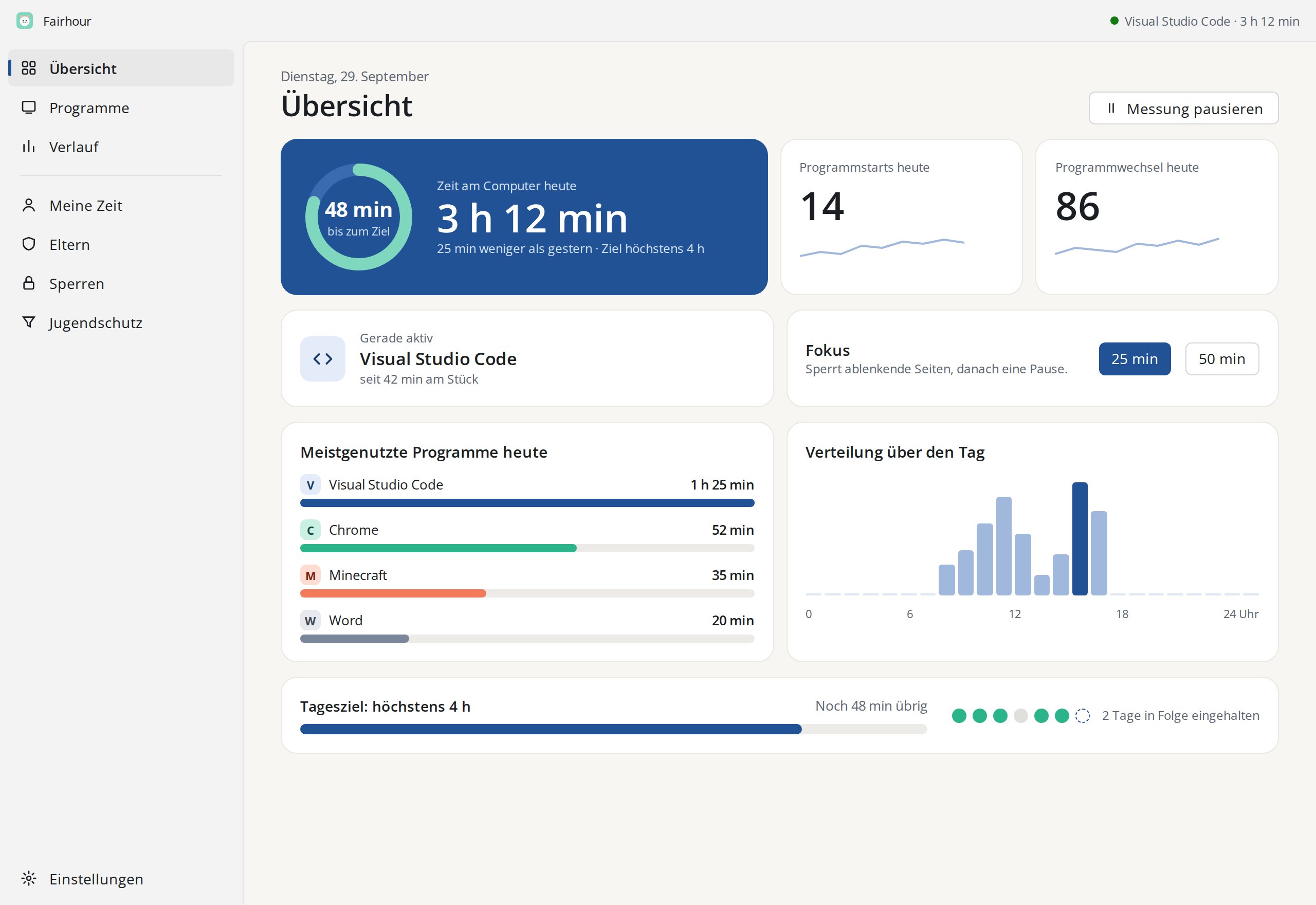
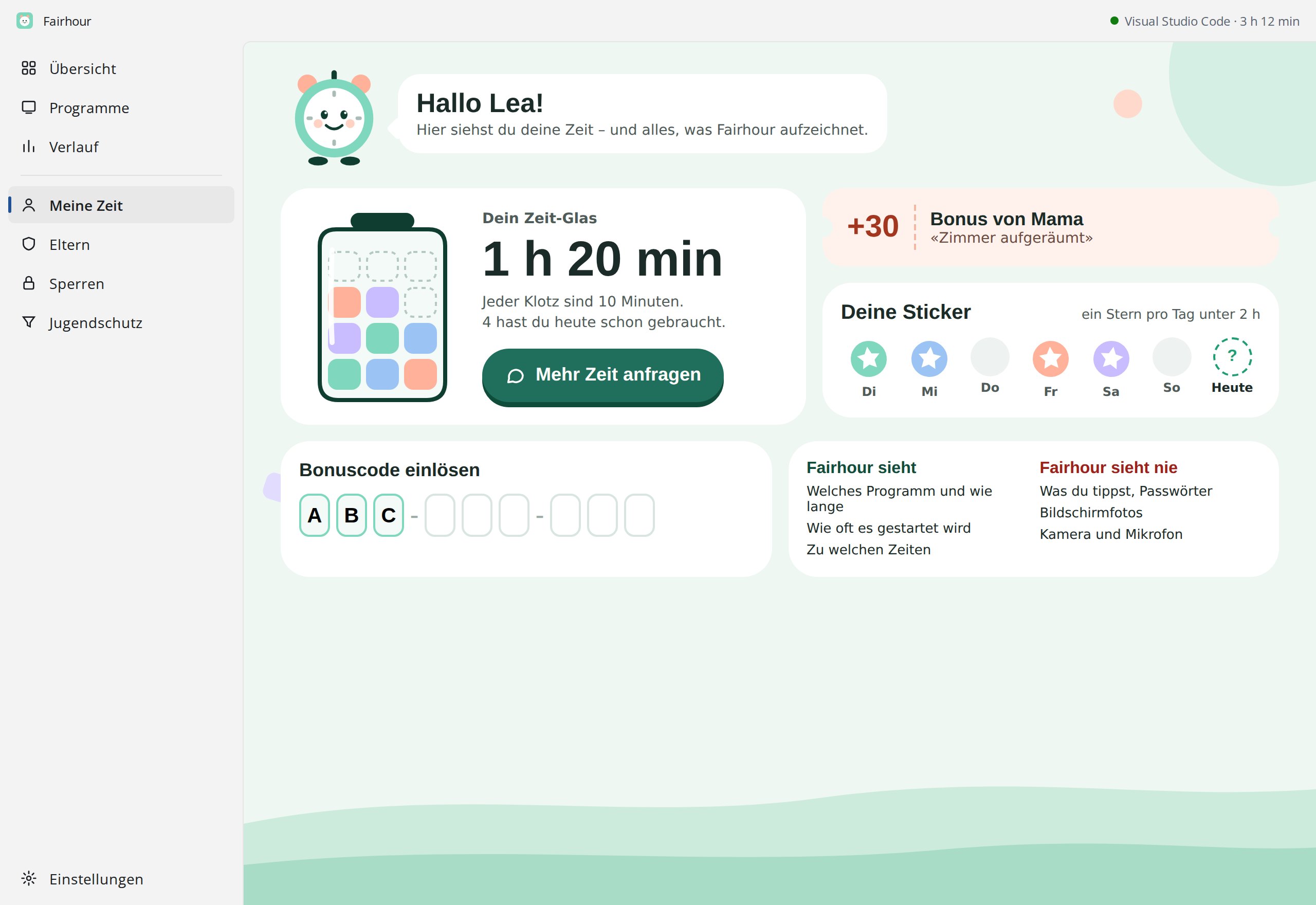
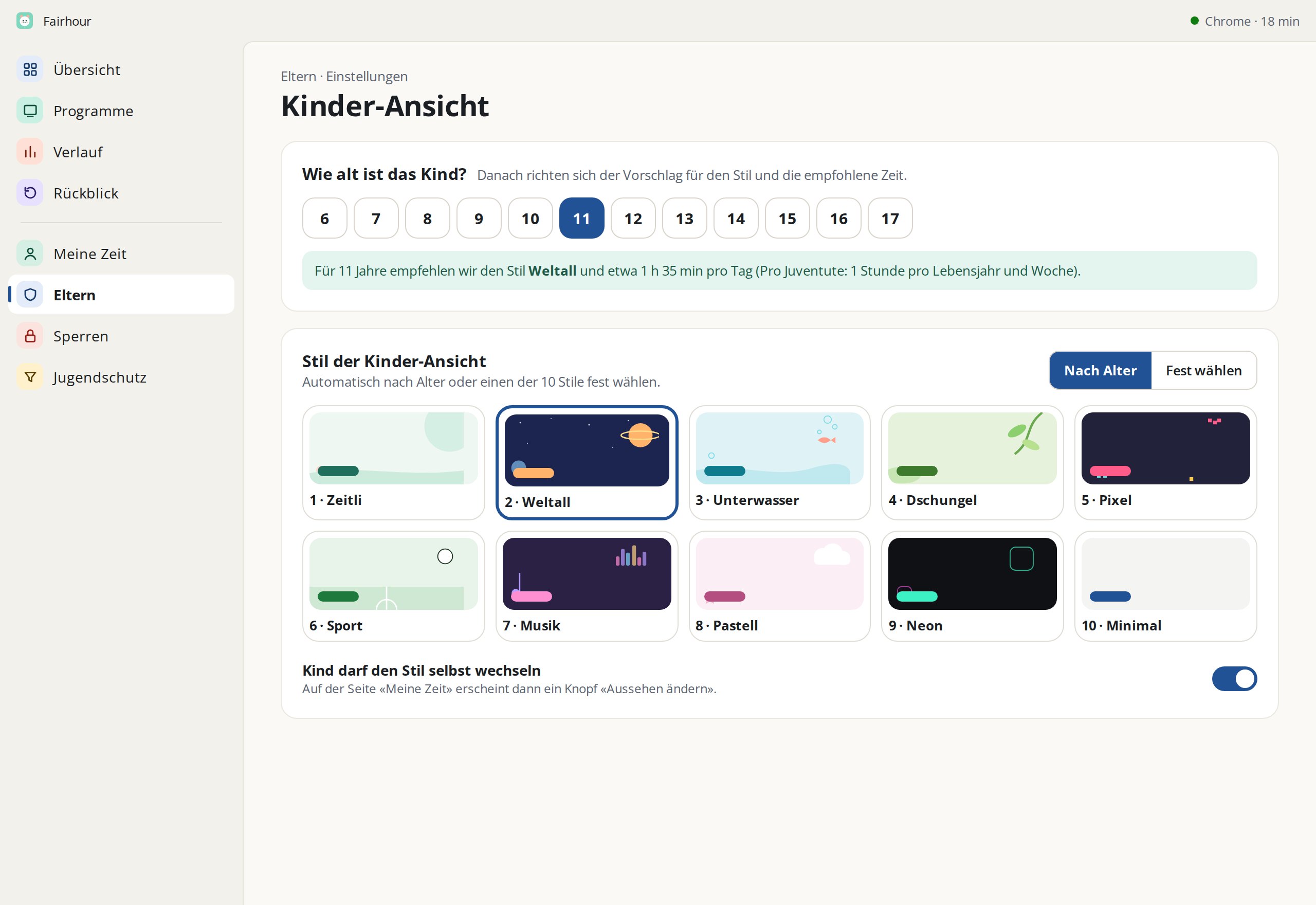
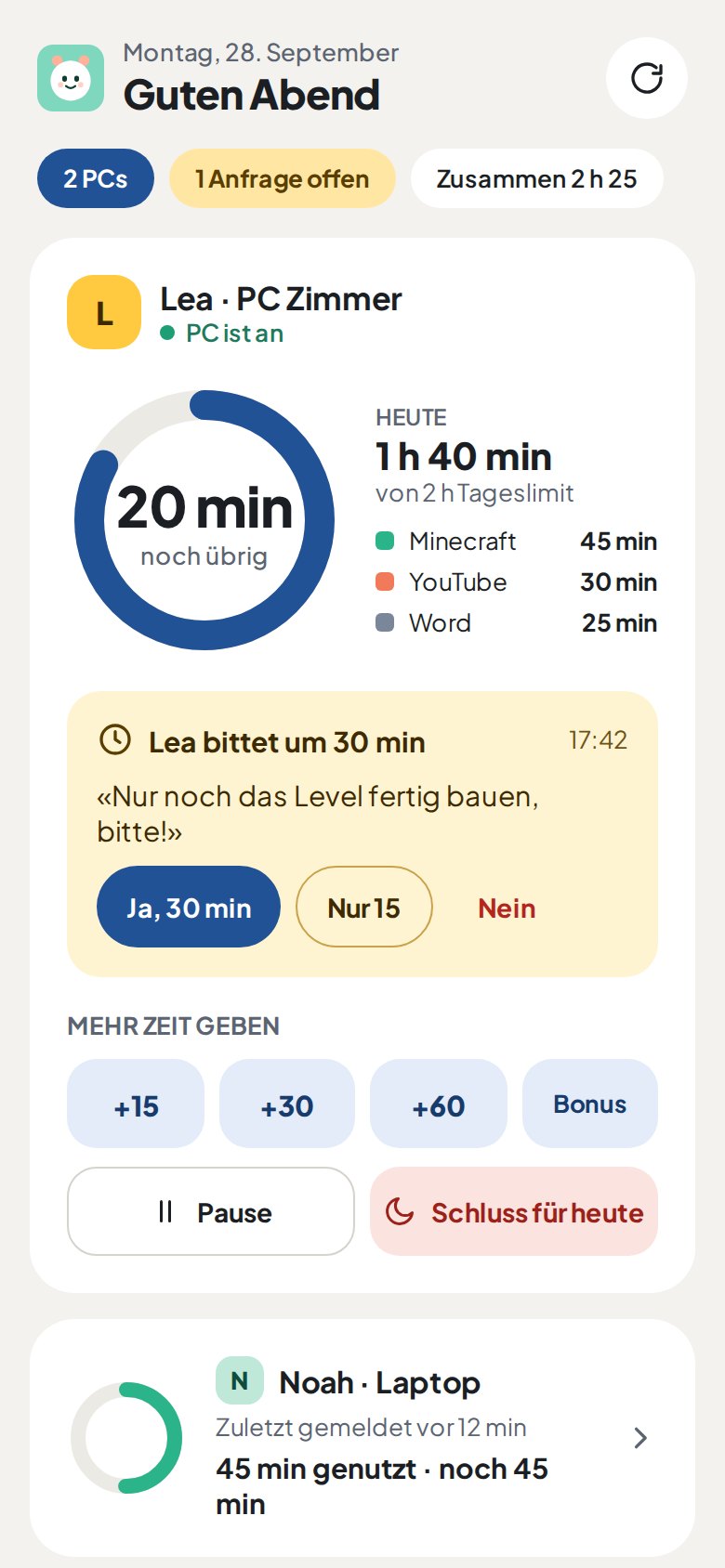
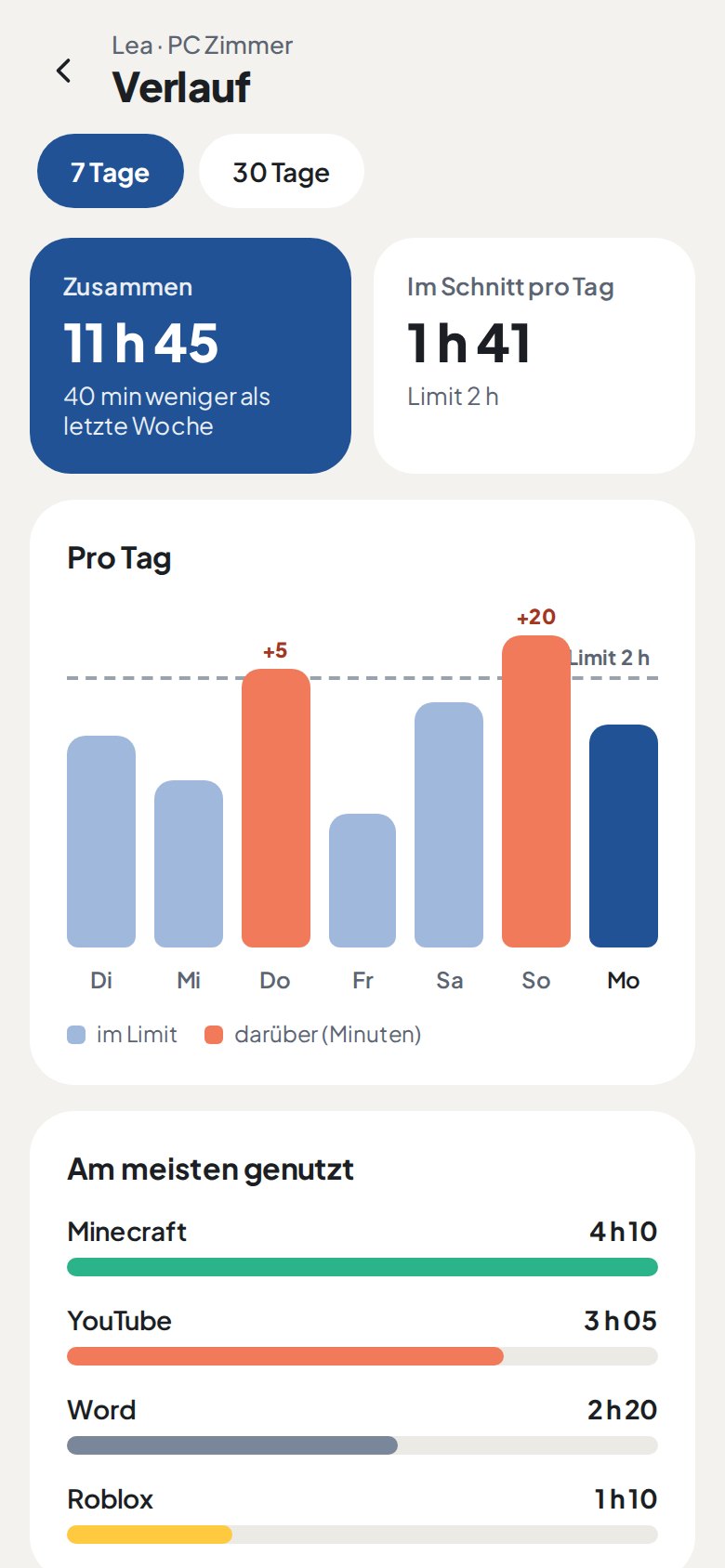
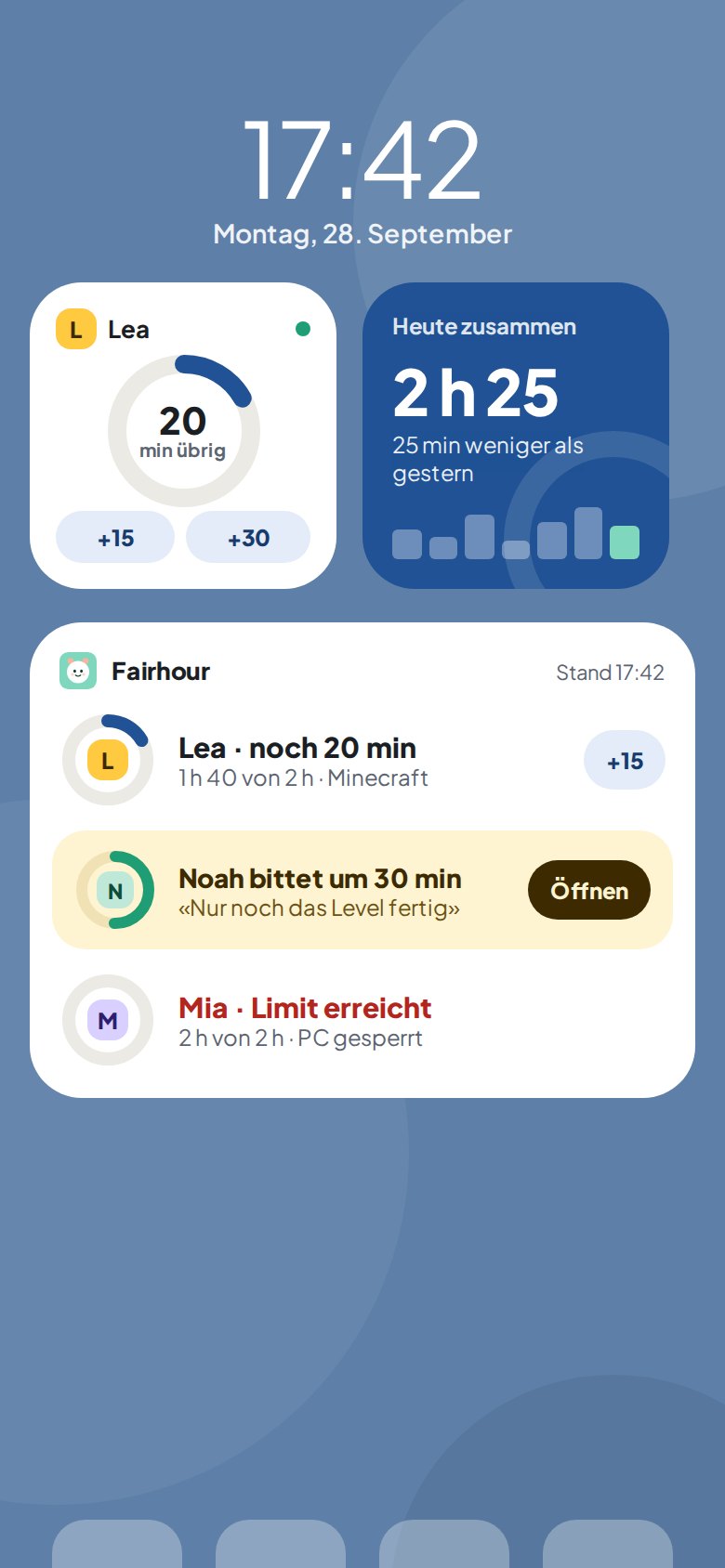
Fairhour measures which programs run on the family PC and for how long, and helps everyone stick to shared rules. Parents manage from their phone. Kids always see what applies and why.
Coming soon · Windows 10 and 11 · Android 8 or later
Set up in ten minutes. No e-mail address, no forced subscription.
Fairhour runs in the background and counts which program is in front. No mouse or keyboard means no counting.
In the password-protected parent area: daily limit, bedtime, blocked programs and websites, study time.
Pair the parent app, see remaining time, grant time, answer requests. Wherever you are.
Everything you need for clear rules, without turning the PC into a fortress.
Daily limit for the whole PC or single programs, with a warning before time runs out.
Stops at a set time, with its own window for weekends.
With presets for social networks, streaming and games. Optionally only at certain times.
A window in which only allowed programs run, plus a focus mode for 25 or 50 minutes.
Room tidied? The child ticks it off, parents confirm, the minutes are credited.
Part of the unused minutes carries over. Play less today, have more tomorrow.
The parent app shows every PC in the family. What you tap usually reaches the PC within two minutes.
Remaining time, locked or free, what ran most today, and the history of recent days.
Grant time, pause, done for today, unlock again. With one tap.
The child asks on the PC, you see it on your phone and answer right away.
Limits, bedtime, free days, blocks, study time and time account, without walking to the PC.
When something new shows up, the app tells you. Allow or block it with one click in the parent area.
One ring per PC on your home screen: remaining time and state, without opening the app.
On the “My Time” page the child sees what applies, no password needed. That builds trust instead of arguments.
On the PC for the whole family, on the phone for the parents. Screens shown in German.
Parental controls without secret monitoring.
Without the parent app, e-mail notifications and the child-safety DNS, all data stays on the PC. If you connect the parent app, this information goes to the Fairhour server in Switzerland: minutes per day, remaining time, the programs used, the child’s requests with their reason, chores and rules, and the alerts you switch on, such as “game started”, “YouTube, 60 min” or content filter hits. No window titles, no addresses of visited websites. The child sees what was reported on “My Time”. Details in the privacy policy.
Measuring is free. Rules are a one-time purchase. The subscription only if you want the phone.
CHF 0
forever
CHF 34 one-time
for up to 3 PCs
CHF 2.90 / month
or CHF 29 per year
Family: one-time payment, 14-day refund. Plus: subscription via Google Play, renews automatically, cancel anytime. For now sold in Switzerland only, prices in CHF. Both apps in 18 languages.
Not on the PC. For the parent app you create a family with a password, no e-mail address needed.
Quitting and pausing require the parent password. A watchdog restarts the app if it is killed, and every such termination is logged. Important: the child should use a standard account without administrator rights.
Yes, always. “My Time” shows what is counted, which rules apply and what the parents changed.
On the Fairhour server in Switzerland, on our own hardware. The connection is encrypted; on the server itself the data is not end-to-end encrypted. Daily totals are deleted after 35 days, as are PCs that have not reported for 90 days. Families without a PC and without a sign-in are removed after 12 months. Under “My data” you can download everything as a file, and you can delete the family completely at any time.
No. No filter is perfect, and blocks can be bypassed with enough effort. Fairhour helps keep rules, but it replaces neither supervision nor conversations.
The PC app runs on Windows. Parents with an iPhone use the parent view in the browser: open api.fairhour.ch, sign in and put it on the home screen with “Add to Home Screen”. Granting time, pausing, ending the day and answering requests work the same way. There is also an app for Android. Mac is not supported.
Fairhour is in its final test phase. Send us a short email and we will write to you once, as soon as you can download it. No newsletter.